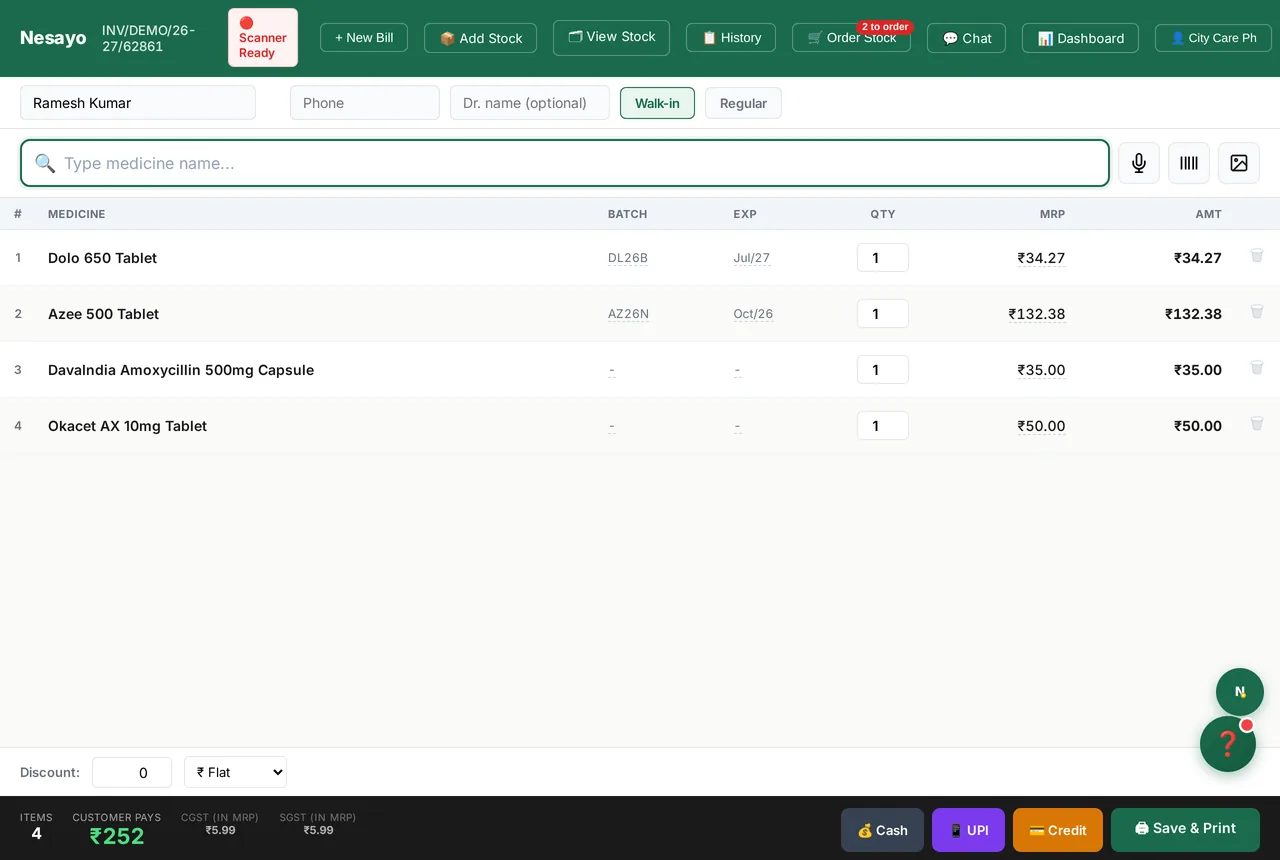
A buyer's guide for Indian retail pharmacies — written around the two legal requirements that separate pharmacy software from ordinary billing software, with published prices from seven vendors.
Last reviewed 2026-09-25
Most pharmacy software is sold on billing speed and the size of its medicine database. Both matter. Neither is what makes pharmacy software pharmacy software.
Two legal requirements do: the Schedule H1 register under Rule 65 of the Drugs and Cosmetics Rules, and the outright prohibition on selling expired stock, which Section 27 of the Drugs and Cosmetics Act makes an offence rather than a warning. A package built for pharmacies handles both without being asked. A package adapted from general retail or accounting may handle neither, and the shop ends up keeping the H1 register on paper alongside it — legal, but slow, and the first thing an inspector asks for.
This guide starts there, then covers what to check before switching, the cloud-versus-desktop tradeoff honestly, what published prices actually look like across the market as of September 2026, and where to go for the specific thing you came for.
Two legal requirements separate pharmacy software from ordinary retail or accounting software.
The Schedule H1 register (Rule 65, Drugs and Cosmetics Rules): every Schedule H1 sale needs the prescriber's name and address, the patient's name, the drug and the quantity entered in a separate register at the time of supply, maintained for three years and open for inspection — and the ordinary record of the same sale also carries the patient's address, the batch, the expiry and the pharmacist's signature. The expired-stock prohibition (Section 27, Drugs and Cosmetics Act): selling an expired medicine is an offence, not a policy breach — so "warn the user" is not an implementation of it.
Software built for pharmacies does both automatically. Software adapted from general retail or accounting may do neither, and a pharmacy running one of those typically keeps the H1 register on paper alongside it. The line is moving, though — Vyapar's pharmacy edition, for one, now lists a digital Schedule H/H1 register and FEFO — so check the behaviour, not the category.
If you read nothing else on this page: ask any vendor to show you an expired batch being refused at the counter, and an H1 register entry appearing without anyone opening a second screen. Those two demonstrations separate the market faster than any feature grid.
The last one is the most revealing and the least often done. A stock list is where every real migration goes wrong: batch numbers, expiry formats, pack sizes and free-quantity scheme lines all differ between systems, and a vendor demo on clean sample data tells you nothing about yours.
If your shop's internet is genuinely unreliable rather than occasionally slow, a desktop-installed, offline-first system is more robust than any web app through a long outage — it never depends on a browser holding local state.
A cloud web app trades some of that robustness for flexibility: the same shop opens on the counter PC, the owner's phone at home, and a second counter during a rush, with nothing to install and nothing to keep in sync between machines.
A Progressive Web App that caches locally, like Nesayo, sits in between — it bills through an ordinary connection drop and syncs on reconnect, though a desktop-native build still wins in a multi-hour blackout.
Be sceptical of any vendor claiming to be unambiguously best on this axis, ourselves included. It is a genuine engineering tradeoff, not a solved problem.
Published prices across the market, taken from each vendor's own public pages. Figures move; the date each was checked is in the table below, and you should confirm on the vendor's page before signing anything.
Two patterns are worth knowing before you compare numbers. First, the established desktop systems are sold as a one-time licence plus an annual renewal, so the headline price is not the three-year cost — a Marg Silver licence works out around ₹23,500 over three years for one shop, before GST. Second, "free" means different things: some products publish a genuinely free billing tier and charge only for optional add-ons; others use "free" to mean a time-limited trial. That distinction is worth checking directly on the pricing page rather than taking a sales call's word for it.
Ask three questions of any free tier:
For the record, since this is our own site: Nesayo's billing tier is free with no time limit and no card, and that includes Schedule H1 sale logging, FEFO batch tracking, expired-stock blocking and GST invoicing. The paid plans, as of October 2026: ₹249 adds voice billing and photo prescription scanning; ₹549 adds the five autonomous AI agents; ₹2,999 (plus ₹999 per extra pharmacy, by invitation) covers several shops under one owner console. Every new pharmacy gets Full free for 1 month, with no card; after that, the Free plan is manual billing and manual stock, free forever, with no AI features. Judge that against the three questions above the same way you would judge anyone else.
Different shops arrive here with different questions. These pages go deeper than this guide does.
If you want the compliance detail rather than the buying advice, the pharmacy glossary covers PTR/PTS, Schedule H/H1/X, FEFO and the GSTR terms in plain English.
The free tools page has calculators and register-format templates you can use regardless of which software you end up choosing — including the Schedule H1 register format, the stock register format and a PTR/PTS calculator. No signup, no email.
For a worked head-to-head against a specific product, see the comparisons index, or our honest comparison of the main options — which says plainly where other products beat us.
| Product | Published price | Shape | Source checked |
|---|---|---|---|
| Nesayo | ₹0 billing; AI plans ₹249 / ₹549 / ₹2,999 per month | Free tier + monthly subscription | nesayo.com/pricing, Sep 2026 |
| Marg ERP | ₹5,550 (Nano) to ₹26,000 (Gold) one-time, renewal ₹2,400–₹19,100/year | One-time licence + annual renewal | margcompusoft.com, Sep 2026 |
| Vyapar | Free plan available; paid plans billed annually + 18% GST (current prices at vyaparapp.in/pricing, set by location) | Free plan + annual subscription | vyaparapp.in, Sep 2026 |
| GoFrugal | Starter edition “starts at ₹18,000” (period not stated); pricing page under maintenance | One-time licence + yearly renewal, or yearly subscription | gofrugal.com, Sep 2026 |
| Tally Prime | Silver ₹22,500 / Gold ₹67,500 one-time | One-time licence (not pharmacy-specific) | tallysolutions.com, Apr 2026 |
| RetailGraph / SwilERP | Free basic version; paid modules ₹3,000–₹12,000/year | Free tier + paid modules | RetailGraph pricing page, Aug 2026 |
| eVitalRx | Annual plans; check the vendor page for current figures | Annual subscription | evitalrx.in, Aug 2026 |
| Hayati AI Nexus | Not displayed — the pricing page rendered "Loading plans…" when checked | Unknown | hayatiainexus.com, Aug 2026 |
Two things above all: maintain the Schedule H1 register required by Rule 65 of the Drugs and Cosmetics Rules — prescriber, patient, batch and quantity, retained three years and produced on inspection — and prevent the sale of expired stock, which Section 27 of the Drugs and Cosmetics Act makes an offence. GST-compliant invoicing with the correct per-medicine slab is a tax requirement on top of that.
It depends on your connection, and any vendor who answers this without asking about your connection is selling rather than advising. Desktop-installed software is more robust through a multi-hour outage. Cloud software lets the same shop open on the counter PC, the owner's phone and a second counter with nothing to install. A caching Progressive Web App sits in between.
The published range as of September 2026 runs from a genuinely free billing tier to about ₹26,000 as a one-time desktop licence with an annual renewal on top. Compare on three-year total cost rather than the headline number, because the established desktop products charge a renewal that the first-year price does not show.
Usually yes, and it is the step to test before you commit. Ask the vendor to import your actual export — not their sample file — and check three things afterwards: that batch numbers survived, that expiry dates were read as the right month, and that pack sizes and free-quantity scheme lines did not silently collapse. Nesayo reads CSV, Excel and pipe-delimited exports, including Marg's.
The register is mandatory; the medium is not. A correctly kept digital register satisfies Rule 65, provided you can produce three years of it on inspection. Many shops keep paper during a transition period, which is sensible — just make sure the two do not diverge, because a mismatch is worse than either alone.
Most medicines are at 5% following the September 2025 GST Council revision, which withdrew the 12% slab; some devices and consumables sit at 18% and notified life-saving drugs are nil. The rate belongs to the product, so software that applies one hardcoded rate across the whole catalogue will file wrong. Note that the software subscription itself is taxed at the standard services rate, which is a separate question from the rate on what you sell.
Compliance depends on what the software does, not on what it costs. Check the two demonstrations above — an expired batch refused, and an H1 entry created without a second screen — and check that you can export your own data. A free tier that passes those is more compliant than a paid one that does not.
The software part is usually an afternoon. The real work is the stock list: getting batches, expiries and pack sizes in correctly, and running the old and new systems side by side for a few days until you trust the new numbers. Plan for a quiet week rather than a busy one, and do not switch during a month-end GST filing.
Billing is free forever, with Schedule H1 sale logging and expiry blocking included. Two-minute signup, no card.
Start free →